Checks & tasks
Policies bundle checks (monitoring) and tasks (scheduled automation) and are assigned to a company, site or device with inheritance (device → site → company).
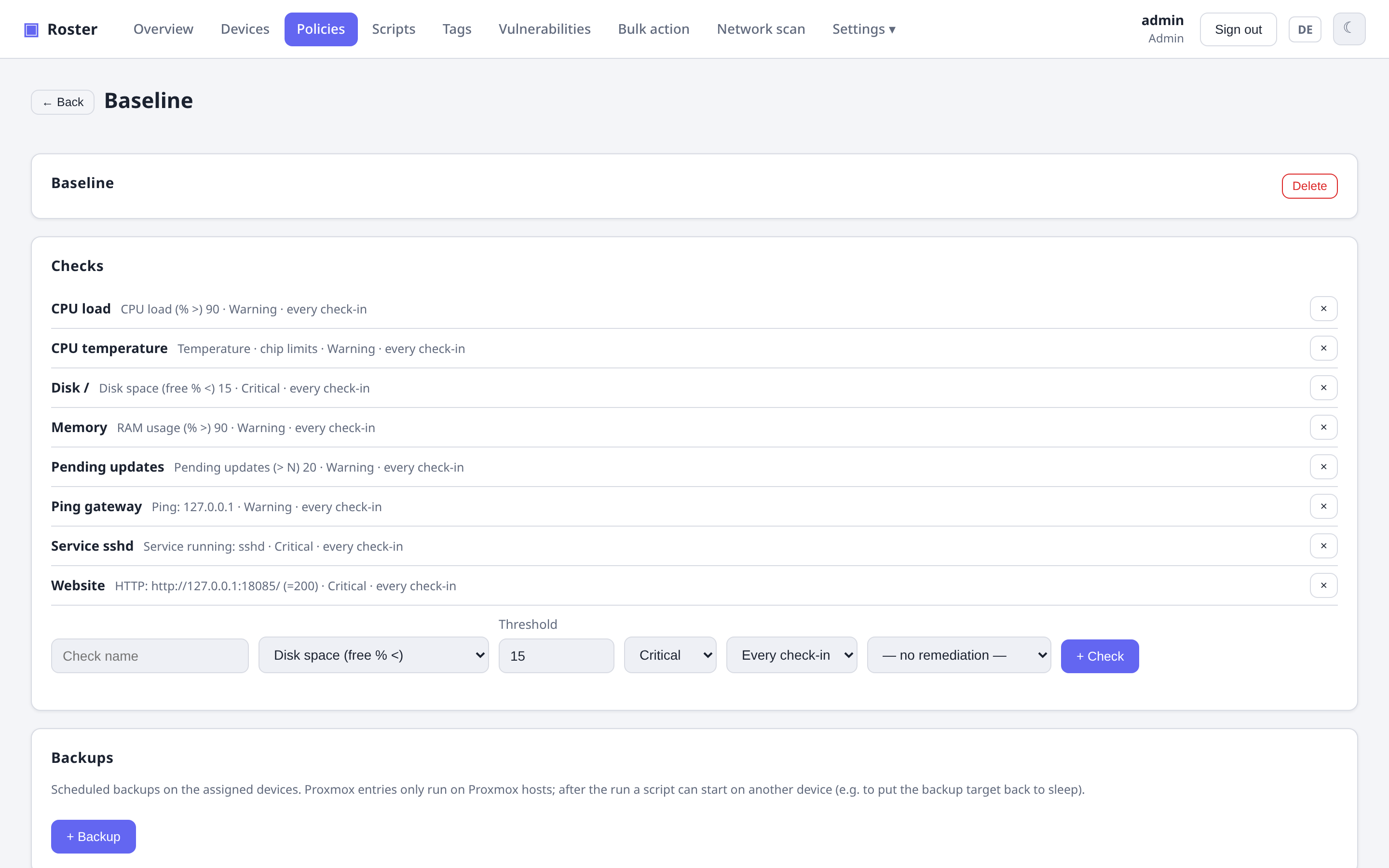
Checks
Each check has its own frequency, severity, output comparison and platform targeting:
- Thresholds:
disk,memory,cpu, pendingupdates. - Script: run a shell/PowerShell script and evaluate its result.
- Network: native
ping,tcpport,httpstatus. - Open ports: alert when a device exposes a public port not on an allow-list.
- Temperature: warning/failing when a sensor gets too hot — by default at the limits
the chip reports itself (critical at
crit, warning atmaxor 10 °C belowcrit), optionally with your own °C thresholds and a sensor filter such ascpuornvme. - Fans: failing when a fan stops, its chip raises an alarm or it runs below a minimum speed (the chip's own or yours), optionally filtered to e.g. the CPU fan.
- Proxmox backups: every guest on a PVE host has a recent, successful backup and sits in a backup job — see Proxmox VE.
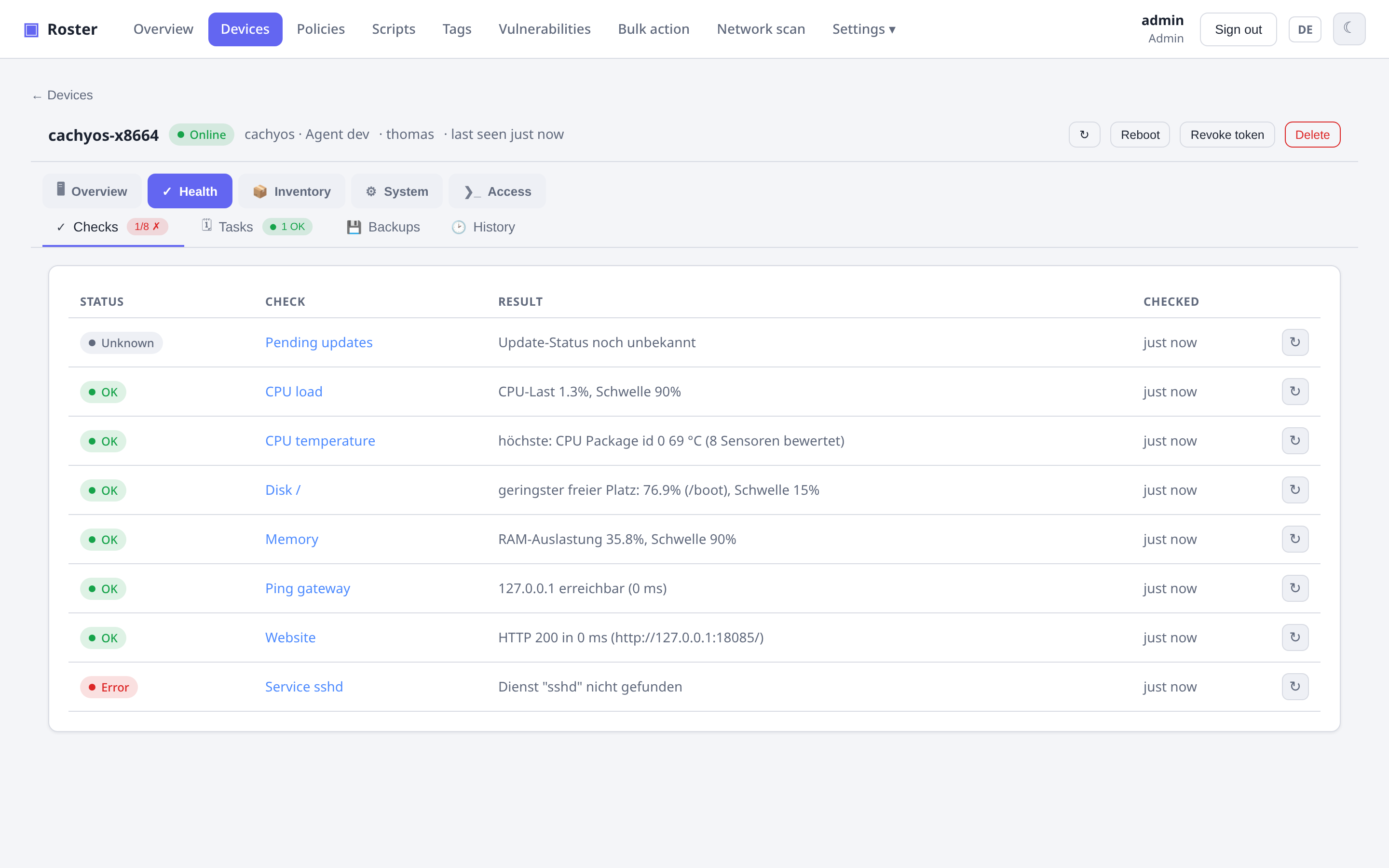
Failing checks surface as a health badge in the device list and drive alerting and self-healing.
Check history
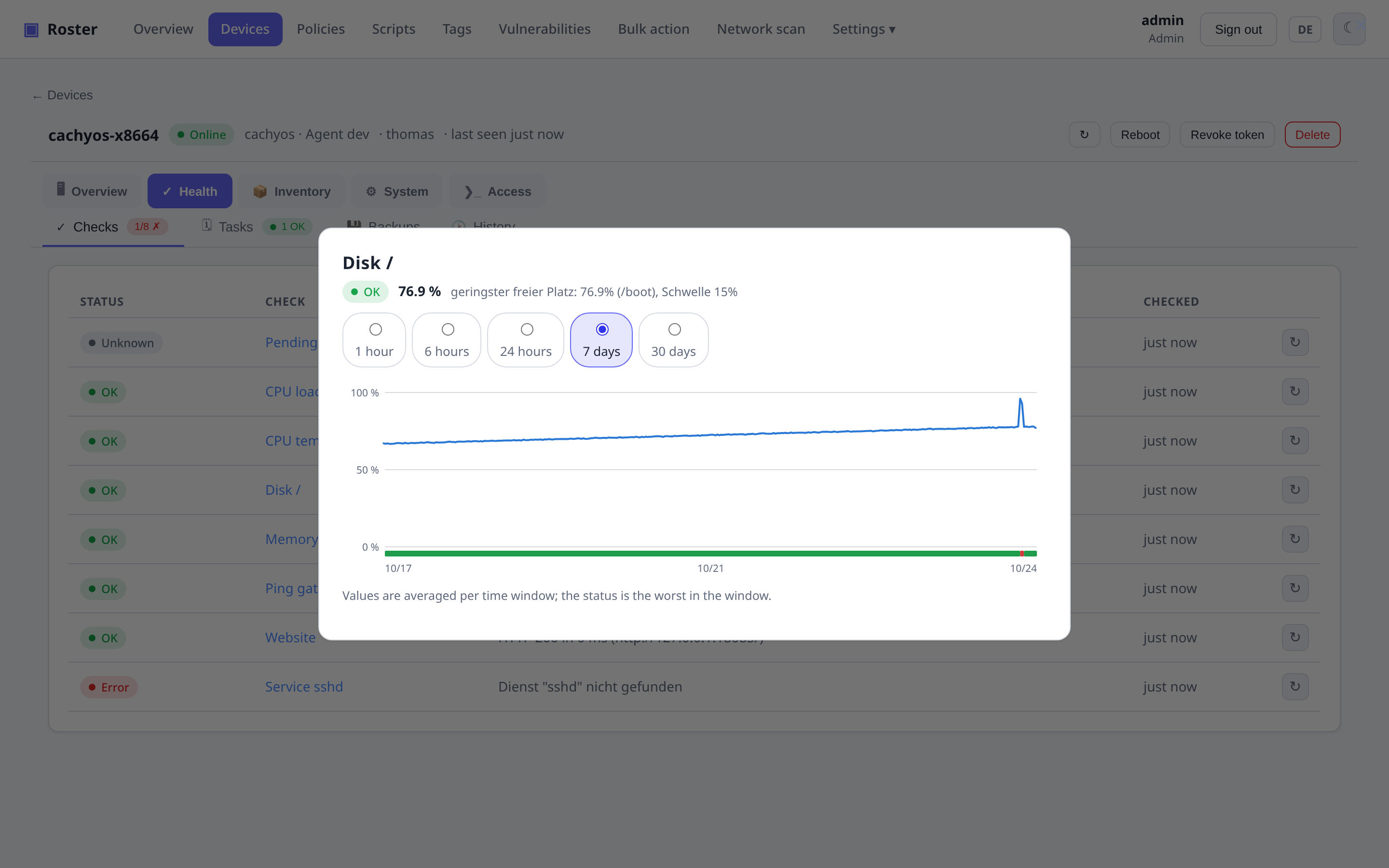
Click a check's name on the device page to open its history: the measured value
(disk %, ping ms, temperature °C, HTTP status, script number, …) as a line, with the
status per time window as a colored strip below it. Ranges from 1 hour to 30 days;
the raw resolution is the agent's check-in interval (every check-in adds one point),
longer ranges are averaged per window and show the worst status in it. Samples are
kept for 10 days by default (ROSTER_CHECK_HISTORY_DAYS).
Tasks
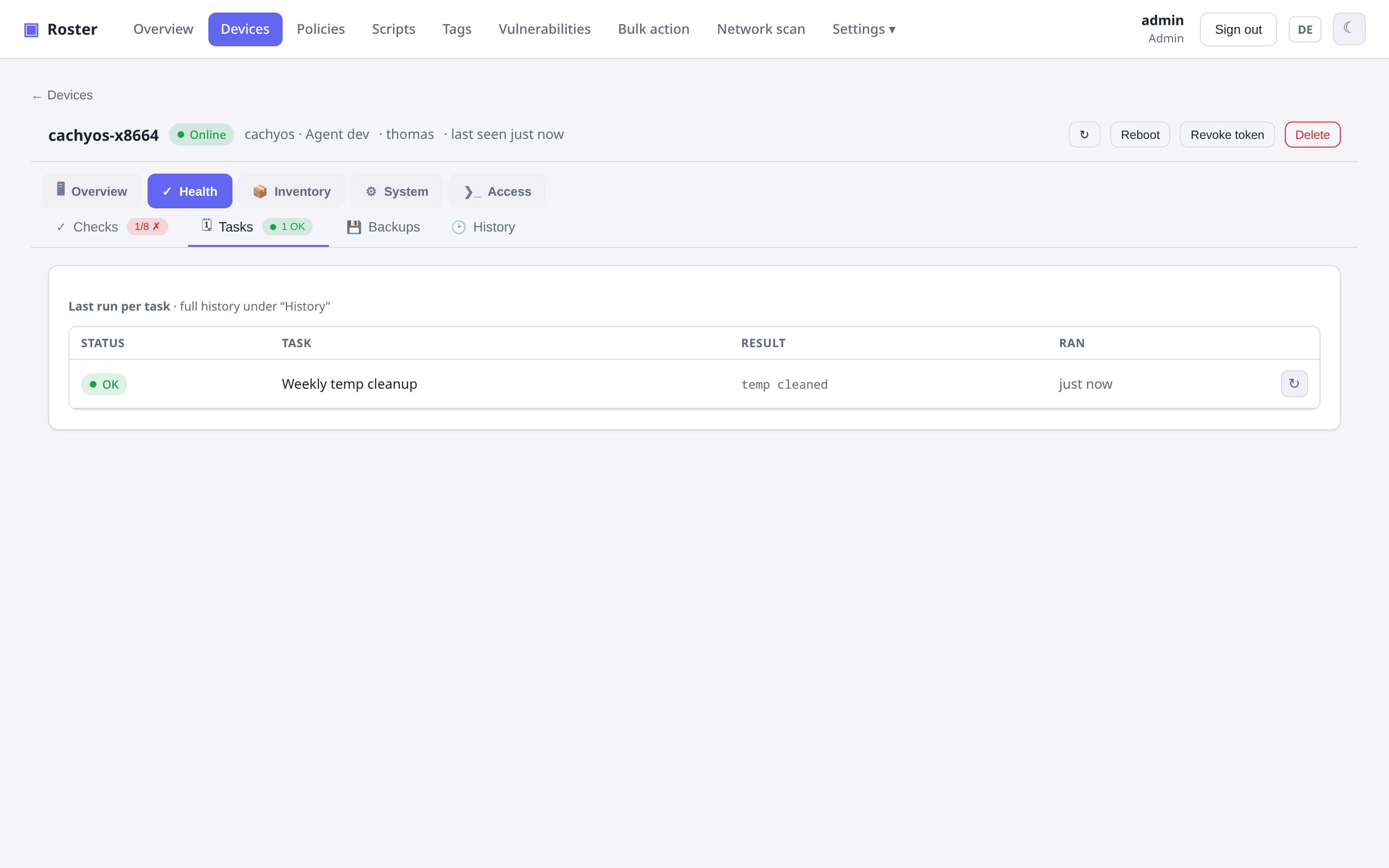
Scheduled scripts with a frequency (interval / daily / weekly / …), keeping the last run per task plus a full run history. You can also re-run any check or task on demand with the ↻ button.
Time zone
A task set to daily 02:00 runs at 02:00 in the time zone configured under Settings →
General. The server sends that zone down with the policy and the agent schedules in it —
otherwise every machine would use its own clock and the same schedule would mean a
different moment on each of them (a Raspberry Pi on Europe/London, a container on UTC, a
workstation on local time).
Leave the setting empty to keep the old behaviour: each device uses its own system time. Agents older than 0.16.0 ignore the zone and always use their own clock. Changing the setting shifts existing fixed-time schedules once — that is the point, but worth knowing before you switch it on. Backups use the same zone; see Backups.
Tasks or backups?
Tasks are scheduled by the agent and run on the device itself. Scheduled backups live in their own section of a policy — they are scheduled by the server and can wait for another device and trigger a follow-up action on one. See Backups.
Self-healing
Automatic remediation: run a script or restart a service when a check fails — so common problems fix themselves before anyone gets paged.
Literally: a check with a remediation does not alert when it fails. The alert is deferred until the remediation has had its chance:
- the remediation script has finished (or 5 minutes have passed after a Proxmox reboot) and the check has reported again — still failing → one alert, marked Auto-Remediation hat nicht geholfen;
- the check is passing again → nothing at all, not even a recovered message, because the failure was never announced.
A remediation that is skipped because of the 30-minute cool-down (flapping check) alerts immediately as before. If the script never finishes, the alert goes out after two hours regardless.
Prefer to hear about every failure, even the ones that heal themselves? Switch off With auto-remediation, alert only if it did not help under Settings → Notifications — then a failing check alerts immediately and the remediation runs alongside, as it did before 0.16.3.
Scripts
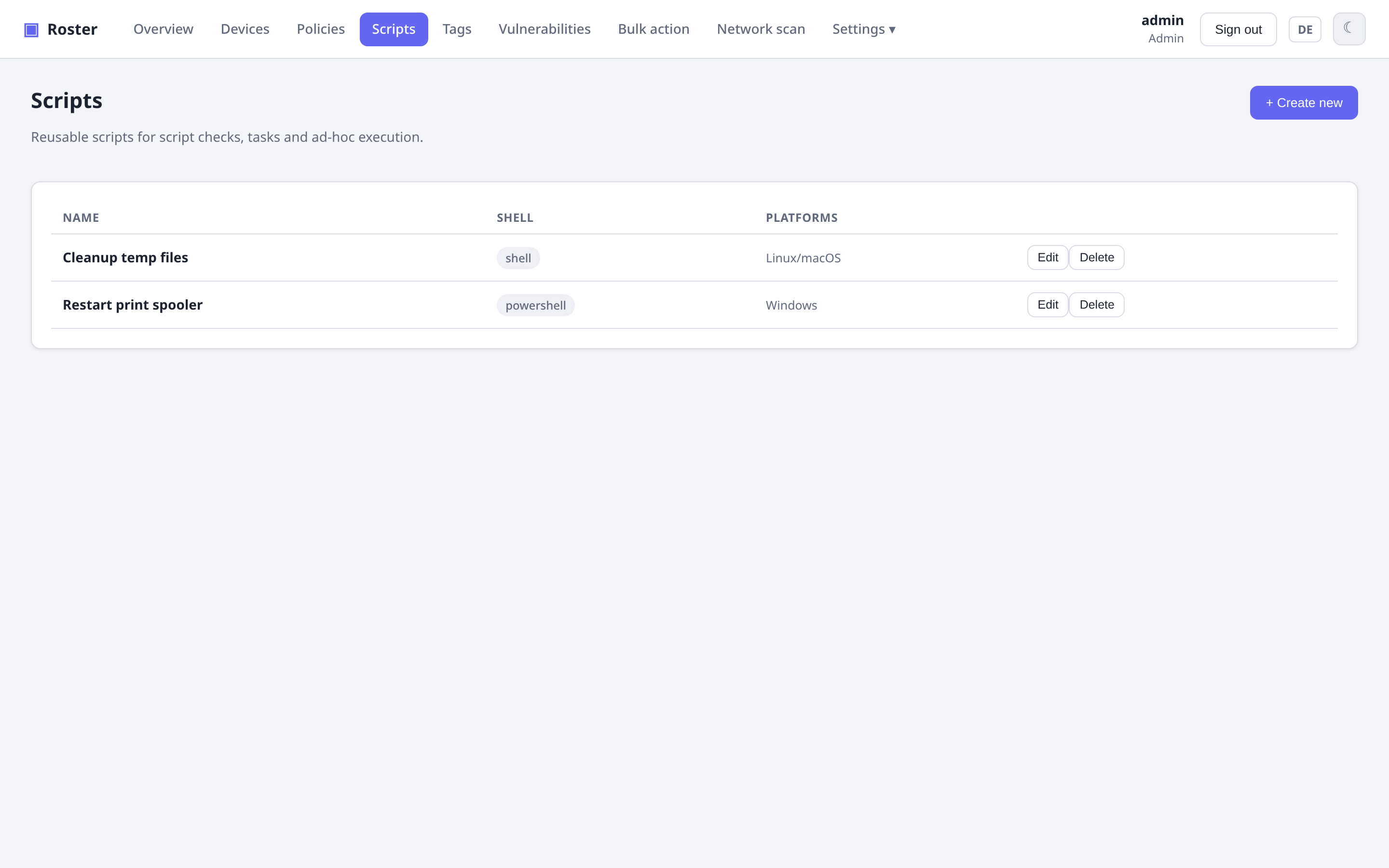
A reusable script library (shell / PowerShell, with platform targeting) powers script checks, tasks, self-healing and ad-hoc "run script" actions.
Script checks/tasks are remote code
Anything that runs scripts on endpoints is powerful. Grant the Scripts and
Operate devices permissions deliberately — see
Roles & permissions.