Dashboard
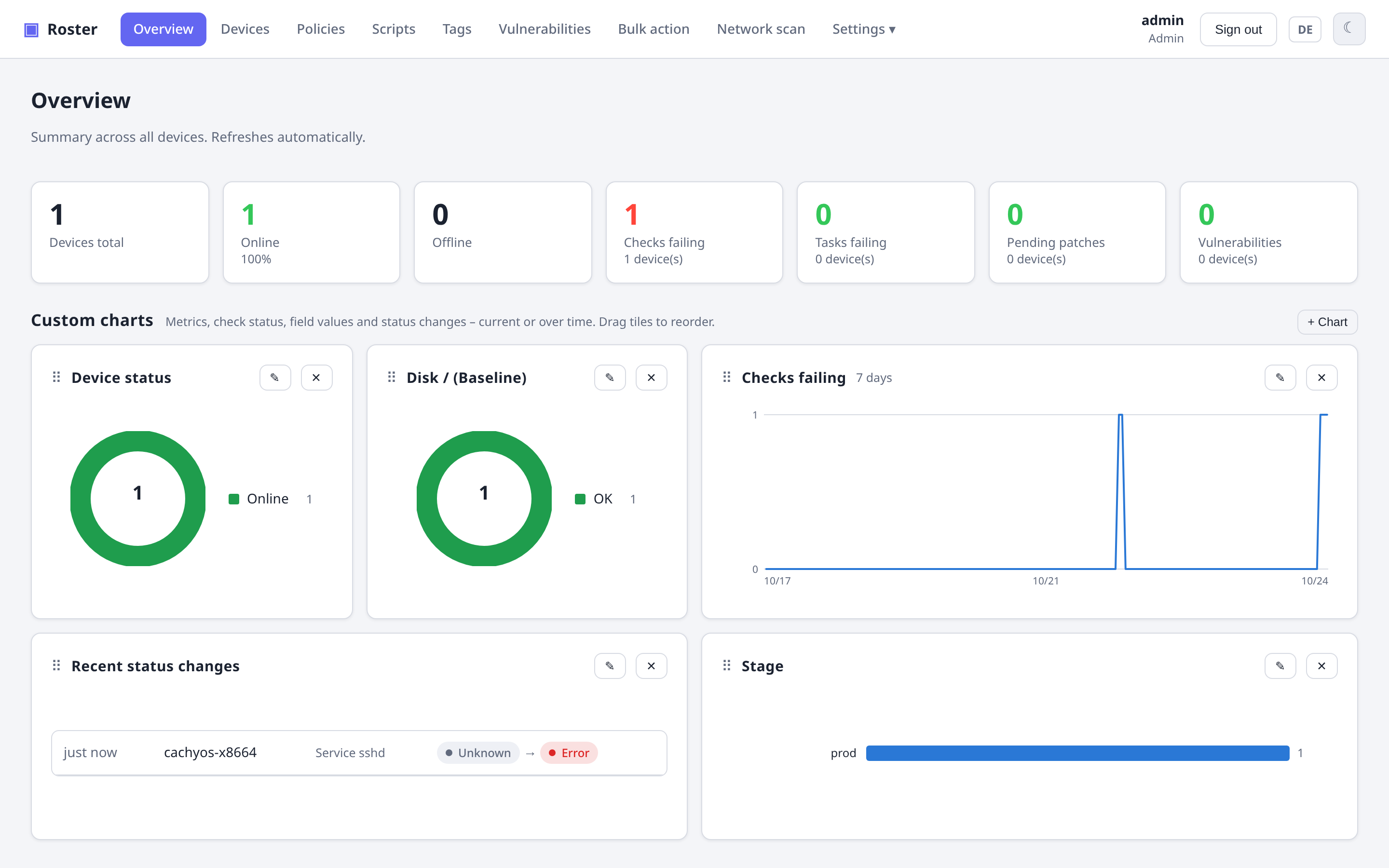
The overview page shows the fleet at a glance: device counts, failing checks and tasks, pending patches and vulnerabilities. Everything below those tiles is a widget grid you configure yourself — it starts with a device-status donut and the latest check status changes, both of which you can remove, resize or re-add like any other widget.
Custom charts
Click + Chart and pick a source, a chart type and (for history) a time range:
| Source | What it counts |
|---|---|
| Metric | the dashboard numbers — devices total/online/offline, failing checks and tasks, pending patches, vulnerabilities — or the device-status split |
| Check | one policy check across all devices: how many are passing, warning, failing |
| Field | one custom device field: how many devices carry each value — e.g. the Docker image versions a collector task writes, see Inventory → Custom fields. List fields count every entry |
| Status changes | the list of the latest check status transitions (no chart type to pick) |
Chart types:
- Bars — the current distribution, one bar per value (up to 12, the rest folded into Other). Best for many values such as versions.
- Donut — the current shares, up to 7 segments plus Other. Best for a handful of categories such as a check's status.
- History — a line per value over 24 hours up to a year, from hourly snapshots the server takes of every metric, check status and field value. The first snapshot exists about a minute after the server starts, then one at every full hour; snapshots are kept for a year.
Hover a bar, segment or point for exact numbers. Charts refresh every minute, and the status colours (green/orange/red) are reserved for check and device status; other series use a fixed, colour-blind-safe order.
Each widget has a width — a quarter, half, three quarters or the full row of a four-column grid (two columns on narrower screens, one on phones). Drag a widget by its handle onto another one to reorder; the pencil edits source, chart, width and title, the cross removes it.
Your widgets are stored in your user account, like the device-list columns and saved filters, so they follow you to any browser.
Users with a restricted data scope (see Roles & permissions) see counts for their sites only — snapshots are taken per site and summed within the user's scope.