Inventory
Every agent reports a full hardware/software inventory on each check-in — no manual scanning required.
What's collected
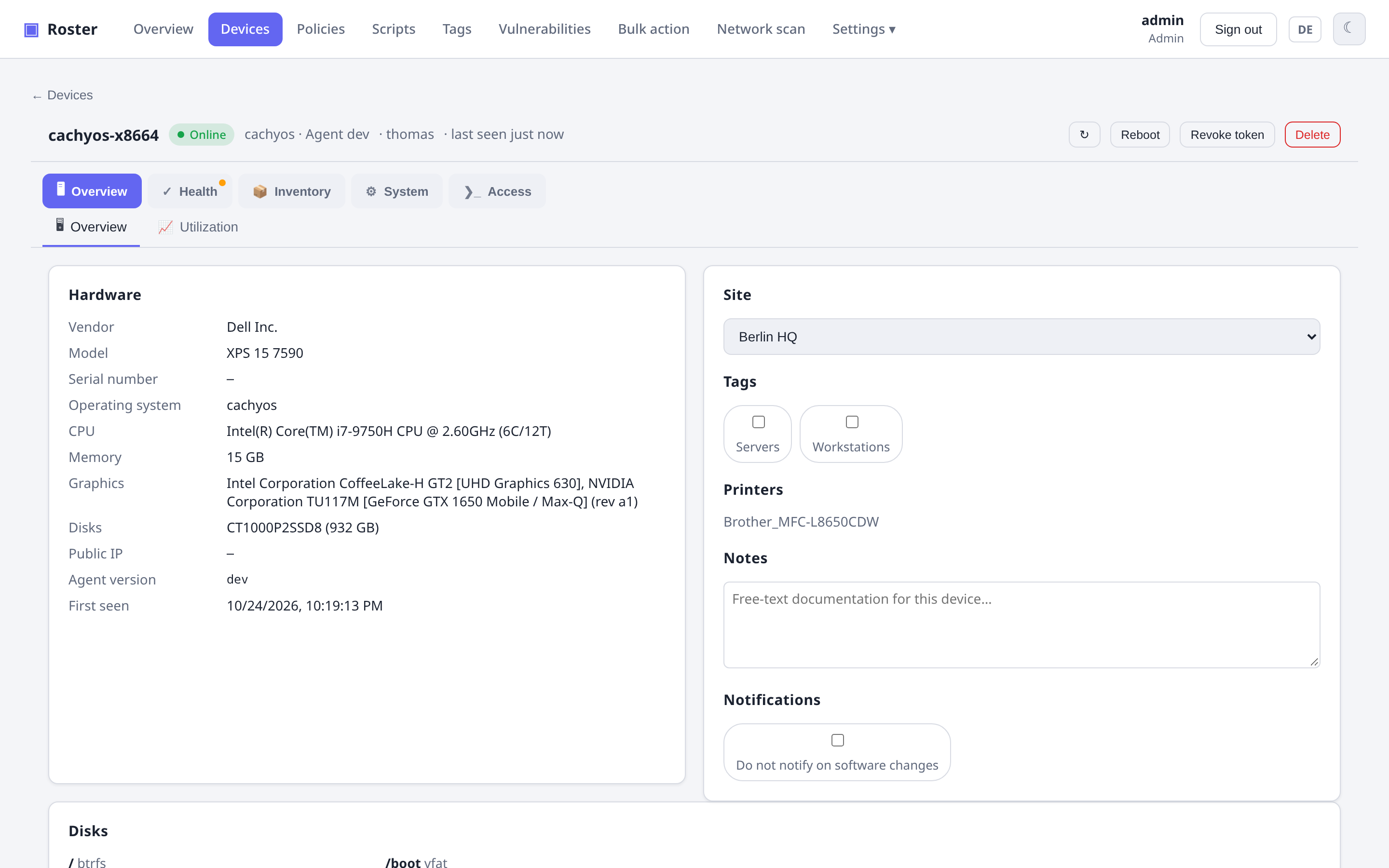
- Hardware: vendor, model, serial, CPU (model + cores), memory, disks.
- Operating system: name, version, logged-in users, uptime.
- Network: interfaces with IP and MAC addresses; public IP.
- Software: installed applications with versions; printers.
- Listening/open ports: the agent reports listening sockets (attack surface), with an external-reachability check and a ports-whitelist check type.
- Temperatures: every sensor the system exposes (CPU package/cores, chipset, NVMe,
GPU, board) with the chip's own warning and critical thresholds — shown on the device
overview with a status per sensor. Several SSDs are named after their kernel device
(
nvme0 Composite,nvme1 Composite) as in Proxmox; AMD CPUs, which report no limits, use AMD's Tjmax of 95 °C (warning from 85 °C). - Fans: speed (RPM), PWM duty and alarm flag of every fan on Linux (hwmon). Headers with nothing connected are left out; a fan that has spun before and stops is reported as stopped.
- Proxmox VE: on a PVE host, all VMs/containers with resources and backup state — see Proxmox VE.
Live utilization & history
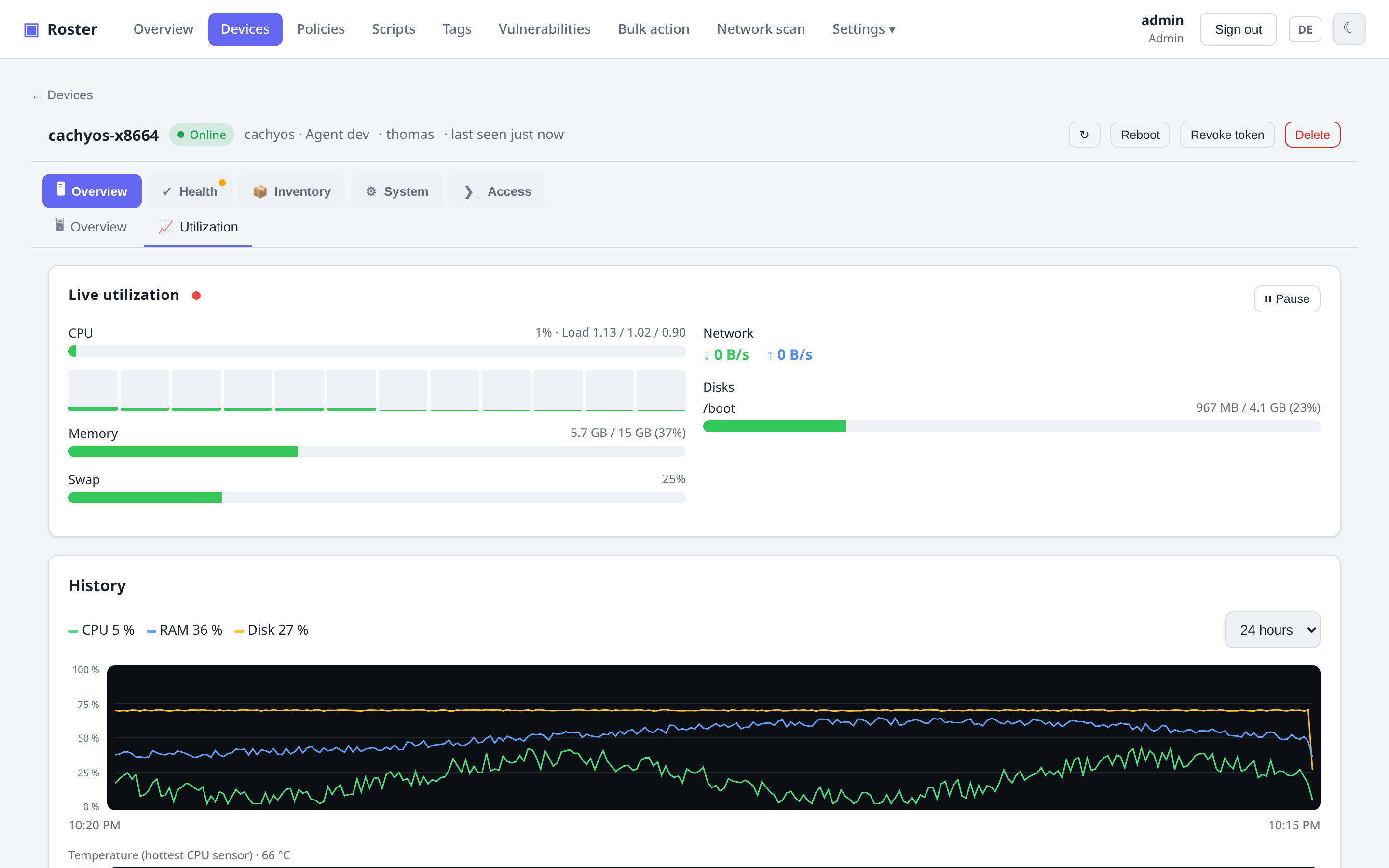
On demand, pull a live snapshot of CPU (per core), RAM, disk and network — and browse stored time series with 24 h / 7 d / 30 d charts. Devices with sensors get a second chart for the hottest CPU temperature (own °C axis, hover for value and time).
Where temperatures come from
Linux reads /sys/class/hwmon (including the thresholds of each chip), FreeBSD
sysctl, macOS the SMC and Windows the WMI thermal zones — which many Windows boards
leave empty. Virtual machines normally have no sensors at all; the section then simply
stays hidden.
Fans and board temperatures on Linux need the driver for the board's monitoring chip
(e.g. nct6775, it87) — CPU and NVMe sensors work out of the box, board chips often
only after modprobe nct6775 (or running sensors-detect once). Servers with a BMC
frequently expose fans only via IPMI. Many mini PCs have no OS-readable fan at all —
the embedded controller regulates it on its own; Roster then shows no fans.
Cross-platform agents
Agents run as a service on Windows, Linux and macOS and auto-update from the server. They use a pull model — only outbound connections, no inbound port on the client.
Custom fields
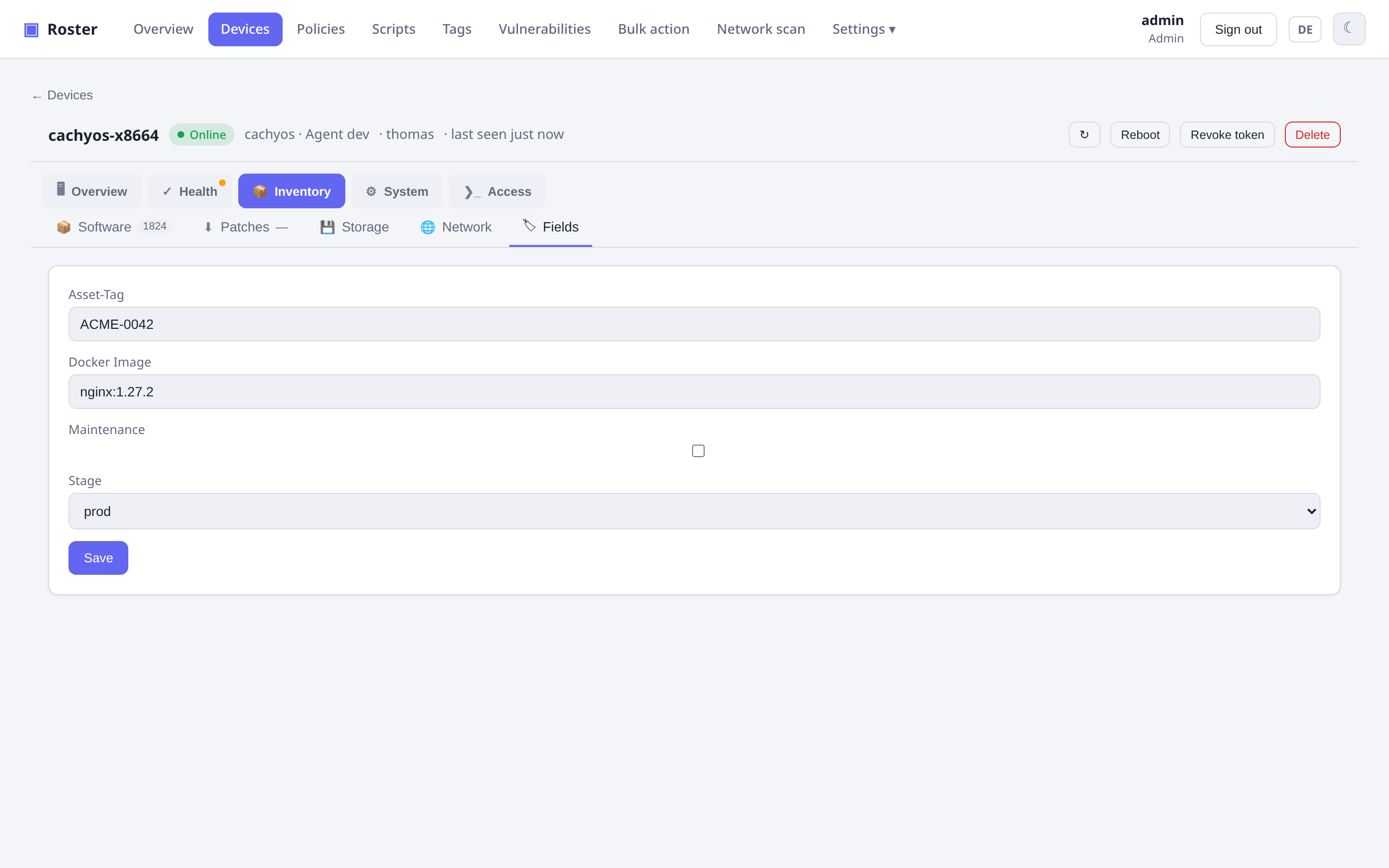
Attach TRMM-style custom fields to a company, site or device, and populate them with
JSON collector tasks and Twig-like placeholders (e.g. {{ agent.domains | first }}).
Choosing the list columns
The Columns button above the device list opens a picker: tick or untick the built-in columns (company, site, vendor, model, serial, public IP, MAC, … on top of the defaults) and add one column per custom field — a field that a check fills with, say, a Docker image version shows up right in the list and refreshes with it. Link fields render as links, lists are joined with commas, checkboxes as yes/no.
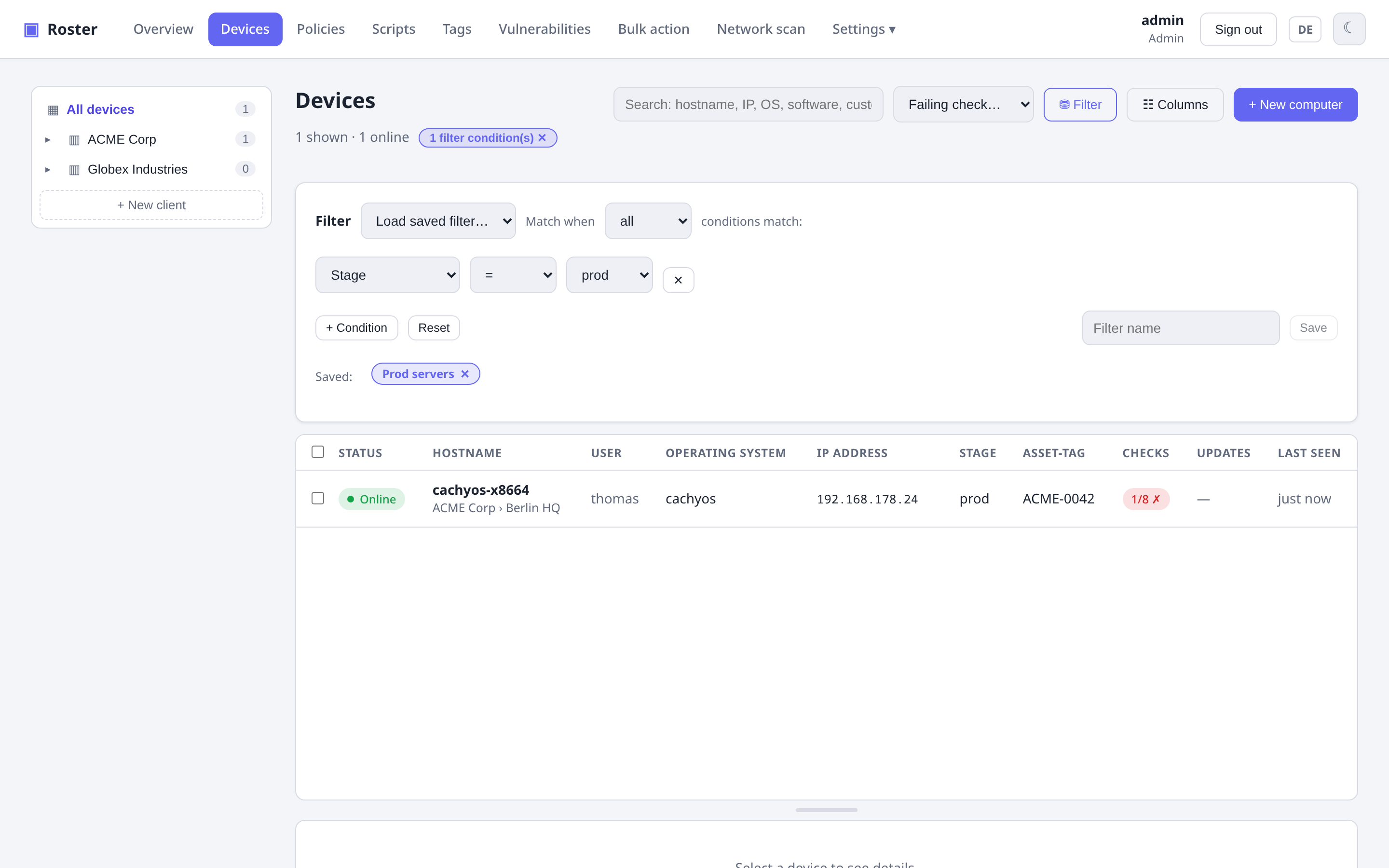
The filter builder (Filter button) knows the same custom fields: pick one as the condition's field and compare it like any built-in column — contains, =, ≠ for text and lists, >/< for numbers, yes/no for checkboxes, the defined options for selections. Two extra operators, set and not set, catch devices where a collector task has (not yet) written the field. So docker_version ≠ 1.27.2 lists every host still running an old image, and you can save that filter like any other.
The column choice, your saved filters and the CSV export's column selection are stored in your user account on the server, not in the browser, so they follow you when you sign in somewhere else. Values that older versions kept in the browser are migrated the first time you open the list.